AI LRC Generator & LRC Maker Online

Turn your audio into editable, synchronized lyrics.

Workspace view

Hear a song become synchronized lyrics

Listen to Amazing Grace with synchronized lyrics.

Use the tool Loading sample…

Amazing Grace · Southern Aire · Four excerpts

From a recording to a lyric file

Input · audio recording

Amazing Grace · Southern Aire
45-second voice and guitar excerpt
Audio input · no supplied lyric sheet

Output · timed LRC draft

[ti:Amazing Grace — sample]
[ar:Southern Aire]
[la:en]
[00:02.89]Amazing Grace,
[00:09.74]how sweet the sound that saved a wretch like me.
[00:24.04]I once was lost,
[00:30.00]but now and found
[00:34.58]Was blind,
[00:37.74]but now I see

Use the AI LRC Generator to turn your recording into synchronized lyrics. This LRC maker online keeps the words, audio, and timestamps together, so you can listen, correct the first draft, and download a file for your music player.

How the AI LRC Generator works

Use the tool

Upload the right recording

Add the exact song version you want to synchronize. LRC Generator uses that recording as the reference for your words and timestamps.

Recognize and review lyrics

Run the AI LRC Generator, listen through the draft, and correct misheard words. Use the LRC maker online to adjust any misplaced cues.

Download synchronized lyrics

Choose LRC for line timing, then test the downloaded file beside your recording. Keep the editable project for later corrections.

A synced lyrics generator you can edit

Illustrative photograph of a vocalist recording with a studio microphone

Start with the words in your recording

The AI LRC Generator transcribes the performance you upload rather than searching a lyric database. Review difficult names, quiet vocals, and repeated phrases against playback before you use the result elsewhere.

Use the tool


Illustrative photograph of a songwriter working beside a guitar and headphones

Use the LRC maker online for corrections

Keep a line editor and the recording in one workspace. LRC Generator lets you adjust individual timestamps or a global offset, helping you correct one late phrase without rebuilding an otherwise useful timeline.

Use the tool
Illustrative photograph of a music editor listening to a recording

Export the file your project needs

LRC Generator exports reviewed text and timing in several formats. Use ordinary LRC for music playback, TXT for proofreading, or subtitle formats for video editing. Enhanced LRC requires genuine word timing, not just line timestamps.

Use the tool

Keep control of your LRC Generator result

An automatic draft saves the first transcription pass while leaving you in control of wording, timing, and the final handoff.

Match your song version

Use the AI LRC Generator with the recording you plan to share, including its introduction, repeated sections, and instrumental breaks.

Keep wording editable

Correct the draft in the LRC maker online while listening, so a misheard word does not become part of every export.

Illustrative photograph of a music editor listening to a recording

Review before sharing

Preview LRC Generator cues against playback, then check the exported file in the actual player or editor your audience will use.

Return to your draft

Sign in to save your recording, lyrics, and edits to your account. Reopen the project on another device during its storage period, or download a copy for later.

Choose your LRC Generator export

Use LRC for synchronized line playback, Enhanced LRC for verified word timing, or subtitle and text formats for a different handoff.

Sample recording: Amazing Grace · Southern Aire

Find your lyric workflow

Choose a tool for your recording, supplied lyrics, karaoke timing, or subtitle handoff, then review the result.

Illustrative photograph of a singer wearing headphones at a microphone

Musicians & Artists

Create synchronized lyrics from a recording, then check the words and timestamps before sharing your song.

LRC GeneratorMP3 to LRC
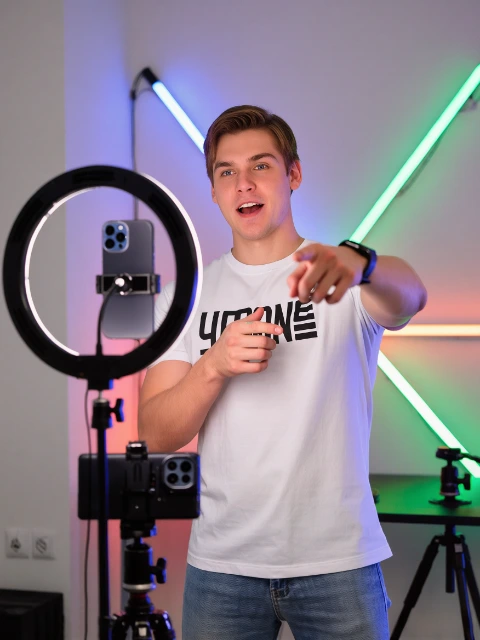
Illustrative photograph of a creator filming with a phone and ring light

Video Creators

Prepare caption cues for your video edit, then review their timing and text in your preferred editor.

LRC to SRT
Illustrative photograph of a group singing karaoke

Karaoke & Performance

Align supplied lyrics to a performance and inspect individual words when your karaoke player needs finer timing.

Word timingTXT to LRC
Illustrative photograph of a teacher and students working with audio

Learning & Transcripts

Extract an editable lyric draft from a recording, listen through uncertain phrases, and keep a clean text copy.

Lyric Extractor

AI LRC Generator and LRC maker questions

AI LRC Generator

Create your next file with LRC Generator

Use the AI LRC maker online to review your recording, correct the draft, and download synchronized lyrics.

Use the tool